
BUYING GUIDE
Audio
Reduce Microphone Background Noise at Your Gaming Desk
Reduce Microphone Background Noise by improving placement and the sound reaching the microphone before stacking software filters on the signal.
AS
AX Store
Reduce Microphone Background Noise: the essentials
Reduce Microphone Background Noise by improving placement and the sound reaching the microphone before stacking software filters on the signal.
Identify the noise before changing equipment
Record three short samples with processing off: ten seconds of the room, a normal spoken sentence and the same sentence while typing. Listen separately for constant air noise, electrical buzz, clicks, desk vibration and a hollow room sound.
These are different problems. A gate can mute pauses, but it cannot remove a fan that overlaps speech. A compressor can make quieter parts more audible, including background noise. An expensive microphone placed far away can therefore sound less clear than a modest one positioned carefully.
Move the microphone, then set gain
Use an arm to place the microphone close enough for a strong voice signal without forcing an awkward posture. Shure recommends close placement for the SM7dB; the precise distance and angle still need to suit your voice and plosive control. Follow the speaking direction of the exact microphone, since side-address and end-address models are used differently.
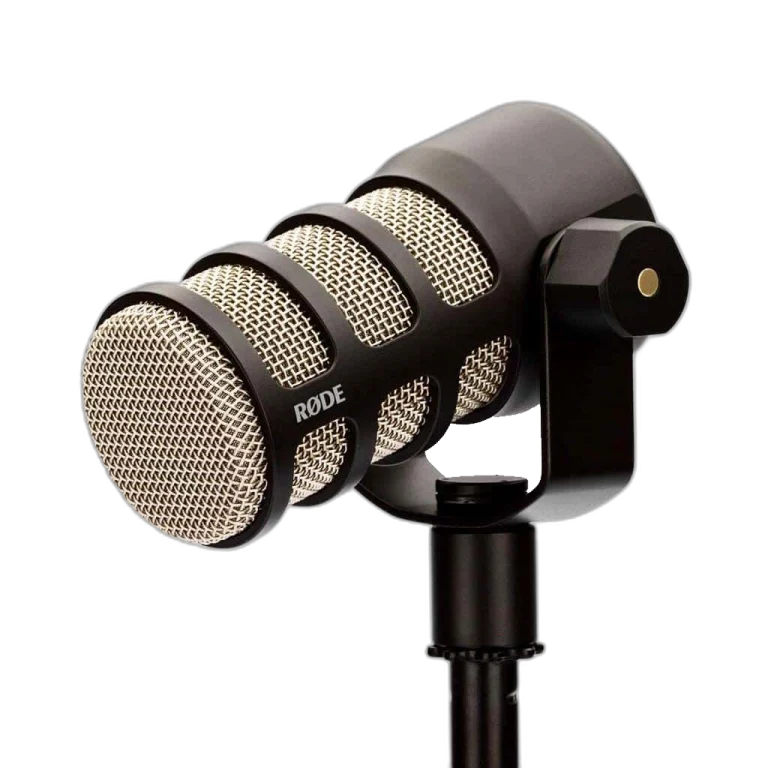
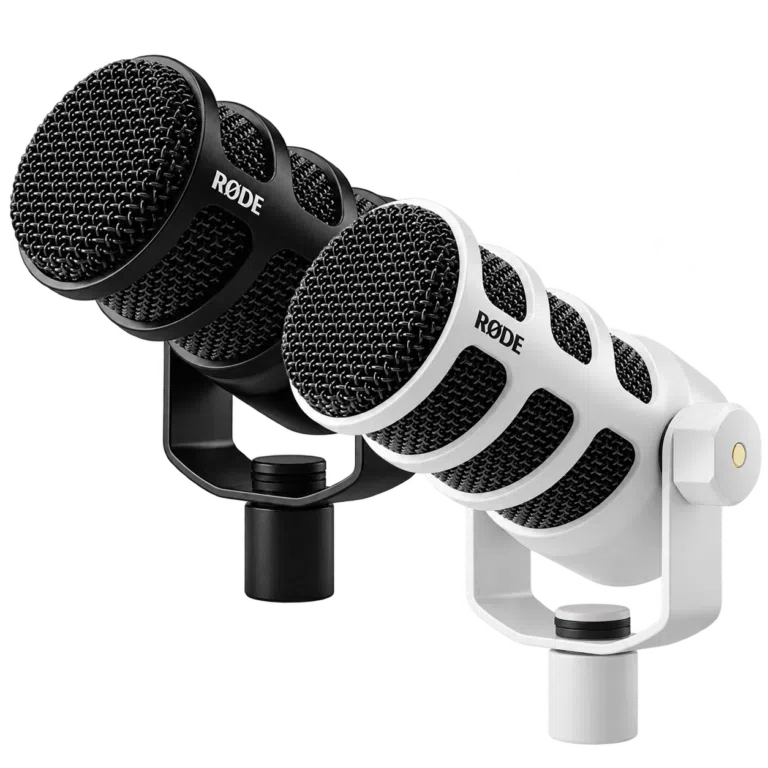
RØDE PodMic and Shure SM7dB are examples for an XLR desk. PodMic USB also offers a computer connection route. None replaces the need to choose the right position.
Match the fix to the symptom
| What you hear | First practical check | What will not solve it alone |
|---|---|---|
| Keyboard clicks while speaking | Move the mic closer to your mouth and farther from the keyboard | Raising the gate threshold until words disappear |
| Low AC or PC noise | Reposition relative to vents and the PC; reduce the noise at source where practical | A premium XLR cable as a room-noise cure |
| Thumps when touching the desk | Inspect arm mounting and cable contact with the desk | More microphone gain |
| Hollow, reflected voice | Try a softer room position and closer mic placement | Boosting treble |
| Buzz that changes with a cable or port | Isolate the cable, power and USB path one change at a time | Buying another mic before finding the cause |
For a Kuwait gaming room with AC running, test with the cooling conditions you will actually use. Do not tune the microphone in an unusually quiet room and expect the same result later.
Aim the pickup pattern intelligently
Check the manufacturer polar-pattern diagram. With a cardioid microphone, positioning unwanted noise toward the rear of the pattern can help, but reflections and distance still matter. The microphone must remain correctly aimed at your mouth.
Move the keyboard and PC if possible instead of twisting the microphone away from your voice. Keep the cable from rubbing against the arm or a vibrating desk edge. A stable PSA1+ can help maintain a repeatable position; it does not actively cancel sound.
Add processing in a controlled order
- Gain: speak at normal and louder session levels, leaving room before clipping.
- Filtering: apply a modest low cut only if low-frequency rumble is a real problem.
- Expansion or gating: reduce noise in pauses without chopping quiet syllables.
- Compression: control level variation without making the noise unnecessarily prominent.
- Noise suppression: compare the processed voice with the original for watery or robotic artefacts.
Change one control at a time and retain a clean baseline recording. Using every available processor is not a requirement.
Make a repeatable stream test
Record a minute that includes ordinary speech, a laugh, a quiet sentence, typing and several silent pauses. Listen to the actual saved or streamed mix, not only the direct headphone monitor. Routing can make the audience hear a different signal from the one you hear locally.
Save the working mic position and processing profile. If the room or seating position changes, check it again. A consistent setup is usually more useful than constantly chasing a stronger noise-reduction setting.
For the related buying decision, read our USB vs XLR microphones.
Frequently asked questions
Are dynamic microphones noise cancelling?
Not simply because they are dynamic. Pickup pattern, microphone distance, room conditions and the complete setup determine what is captured.
Why does my noise gate fail while I talk?
A gate reduces or mutes audio when the level is low. When speech opens it, background sound can pass through with your voice.
Should I replace a PodMic with an SM7dB to remove keyboard noise?
First check placement and the room. A different microphone may suit your voice or workflow, but it is not a guaranteed cure for keyboard sound.
Continue planning your setup
- SM7B Too Quiet? Set Gain Before Buying a Cloudlifter
- RØDE PSA1 vs PSA1+: Check Microphone Weight, Reach and Desk Fit
- Two-Person Podcast Setup: The Complete Equipment and Recording Checklist
Check current configurations, included accessories and availability on the linked AX product pages. Ask AX about your exact setup.
Shop the equipment in Kuwait
AX price check, 26 October 2026: RØDE PodMic Dynamic Podcasting Microphone, XLR — KWD 39.000 (in stock); RØDE PodMic USB Dynamic Microphone – USB-C & XLR – Black / White — KWD 69.900 (in stock). The product cards show the current price and availability when you shop.
Explore RODE at AX Kuwait, SHURE at AX Kuwait for the rest of the range.
AS


Build a setup that fits how you use it
Tell AX your equipment models and what you want to do. We can help you choose the right connections and products.