
BUYING GUIDES
Same-day delivery · Official warranty · Taly & Deema
ASTRO A50 X Setup starts with a connection plan for the powered base, each console or computer and the display you want to use.

ASTRO A50 X Setup starts with a connection plan for the powered base, each console or computer and the display you want to use.
This guide concerns ASTRO A50 X with its base station, including the Mars Red version listed at AX. A50, A50 X and other ASTRO generations should not be treated as interchangeable when selecting a diagram, accessory or firmware instruction.
The base station is central to the A50 X workflow. Plan a stable powered location with room for the rear connections and a clear place to dock the headset. It is more than a passive charging stand.
| Source | Connection plan | What to confirm |
|---|---|---|
| PS5 | HDMI and USB to the correctly labelled base-station connections | Console audio settings, chat route and display support |
| Xbox Series X/S | HDMI and USB according to Logitech diagram | Correct platform ports and console audio settings |
| PC / Mac | Documented USB audio connection | Playback / chat devices and supported configuration software |
| Shared display | Base-station HDMI output to the chosen display input | Every link supports the desired resolution, refresh and features |
Keep the PC display connection distinct from PC headset audio unless a manufacturer diagram explicitly says otherwise. The console HDMI switching feature does not turn every PC video connection into the same route.
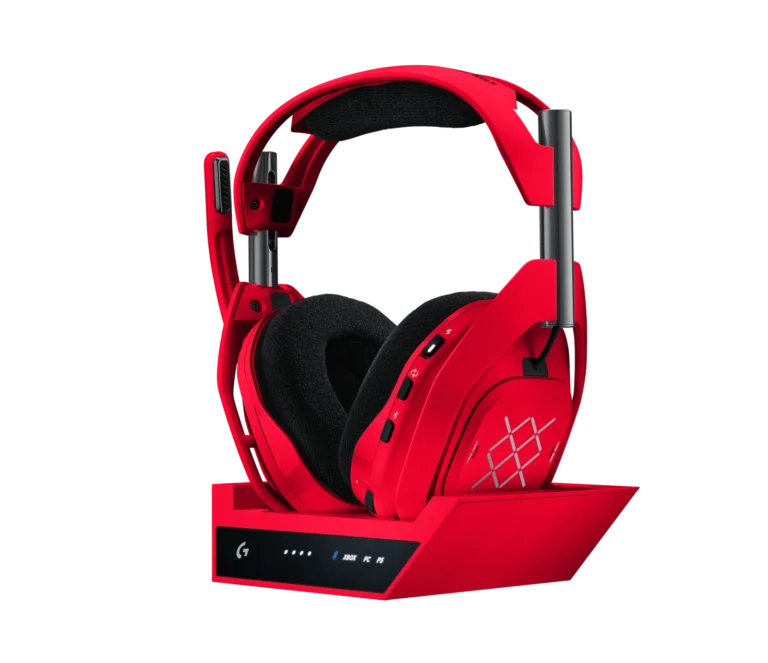
Logitech states that HDMI cables are not included. Its setup guide describes a minimum of two HDMI cables and one USB cable for one console connected through the base station to a TV. Two consoles sharing the HDMI output require three HDMI cables and the appropriate USB connections.
Check the actual package for supplied USB accessories and power arrangement. Reusing an old cable may work for a lower display mode, but it should not be assumed suitable for the highest supported HDMI features.
The A50 X supports documented HDMI 2.1 passthrough features, including 4K 120Hz in suitable setups. That does not upgrade a display, cable or source that cannot support the requested mode. Check the console, every cable, the base station configuration and the exact display input.
For the intended high-bandwidth features, Logitech recommends certified Ultra High Speed / appropriately rated HDMI cables. Also check whether the display restricts certain modes to particular ports. A screen that accepts 4K at 60Hz is not automatically a 4K 120Hz display.
Keep the base station powered as instructed. Bluetooth functionality in this system is associated with the base-station arrangement; do not buy it expecting a conventional standalone travel headset that works identically away from the station.
For calls or mixed sources, follow Logitech’s documented connection and mixing behaviour for the exact platform. The presence of Bluetooth does not prove that every source can be mixed in every desired way.
Use Logitech G HUB or the supported app and firmware instructions for your system. Avoid changing every console and software setting at once, because that makes faults harder to isolate.
If the picture disappears, confirm the selected platform and display input, then test an appropriate cable or a lower supported video mode. If the picture is fine but chat fails, inspect USB and platform audio selection rather than replacing the HDMI cable first.
For streaming, separately confirm what the capture device receives. Hearing game and chat in the A50 X headset does not prove that both reach OBS. Use the linked PS5 chat guide to distinguish monitoring from recording before buying additional adapters.
For the related buying decision, read our PS5 capture-card buying guide.
Logitech states that HDMI cables are not included. Count the cables needed for your exact console and display arrangement.
No. The source, cables, base-station setup and display input must all support the intended mode.
Plan around its powered base-station design and documented Bluetooth operation, rather than assuming ordinary standalone travel-headset behaviour.
Check current configurations, included accessories and availability on the linked AX product pages. Ask AX about your exact setup.
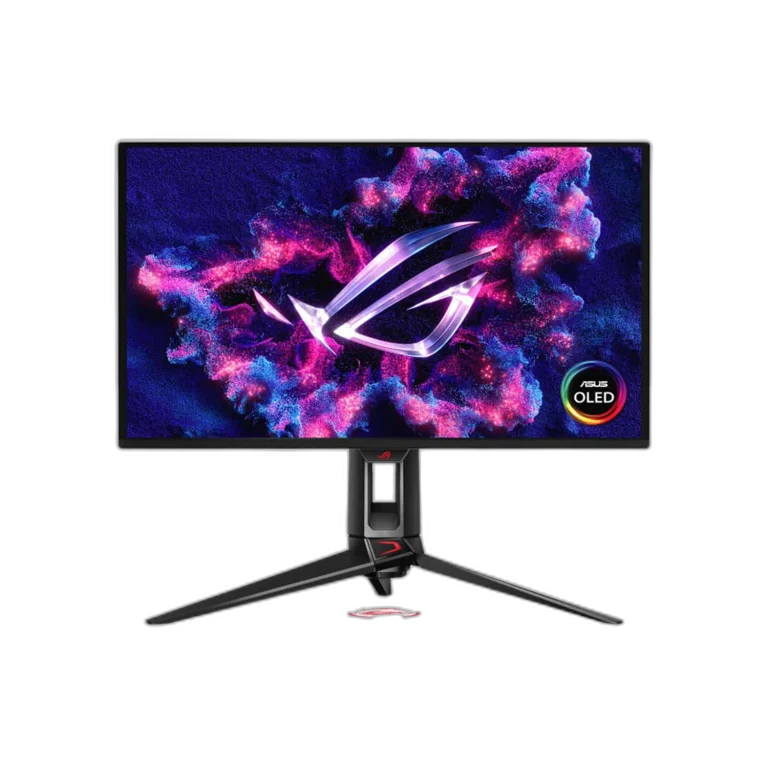
AX price check, 26 October 2026: ASTRO A50 X LIGHTSPEED Wireless Gaming Headset and Base Station – Mars Red — KWD 159.000 (in stock); ASUS ROG Swift PG27UCDM 27 inch 4K QD-OLED 240Hz Monitor — KWD 379.000 (out of stock). The product cards show the current price and availability when you shop.
Explore ASTRO at AX Kuwait, ASUS at AX Kuwait, Wooting at AX Kuwait for the rest of the range.
Build a setup that fits how you use it
Tell AX your equipment models and what you want to do. We can help you choose the right connections and products.
Added to cart
Subscribed
We'll email you as soon as it's back in stock.
Saved to wishlist


