BUYING GUIDE
Gaming
Modern Warfare 4 PC Setup in Kuwait: Build Your Desk
A Modern Warfare 4 PC Setup in Kuwait should match the game's requirements with your monitor, control preferences and a complete desktop audio path.
AS
AX Store
Modern Warfare 4 PC Setup in Kuwait: the essentials
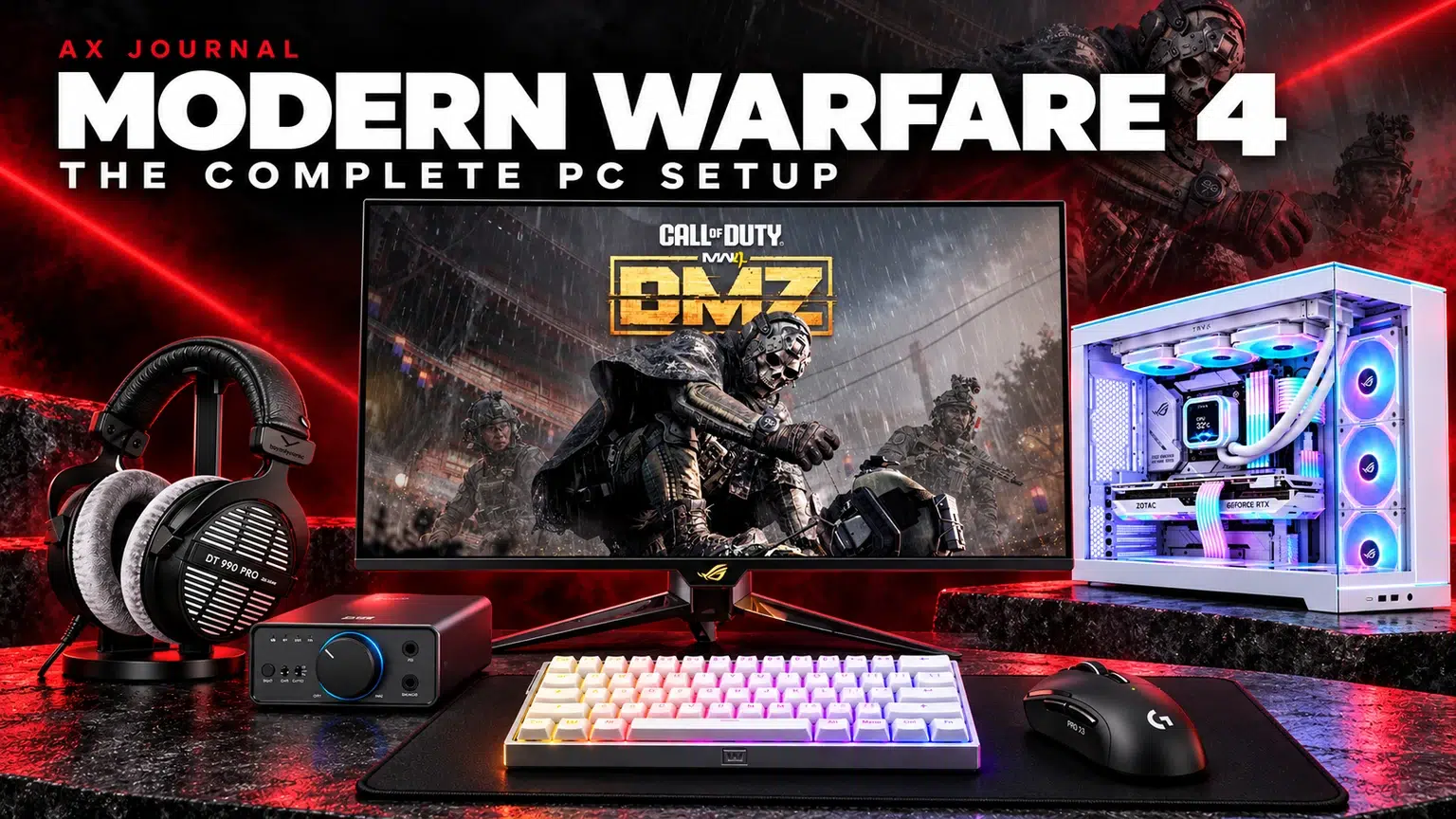
A Modern Warfare 4 PC Setup in Kuwait should match the game’s requirements with your monitor, control preferences and a complete desktop audio path.
Start with the current game requirements
Modern Warfare 4 is the new Call of Duty release launched on 23 October 2026. Activision’s launch requirements provide a useful starting point, but minimum requirements are not a competitive high-refresh shopping target.
The publisher’s recommended desktop specification lists Windows 11, Ryzen 5 3600 or Core i7-8700, 16GB RAM and graphics such as RTX 3060 Ti or RX 6600 XT. It describes a 90 FPS multiplayer High-settings target under its conditions. Match the game settings and rendering conditions to your target experience.
The official requirements also specify an SSD with 115GB available at launch, with more space potentially needed for updates, plus TPM 2.0 and Secure Boot. Confirm compatibility through the official guidance before purchase or configuration changes.
Choose the desktop around the screen
| Setup direction | AX configuration to compare | Why it belongs on the shortlist |
|---|---|---|
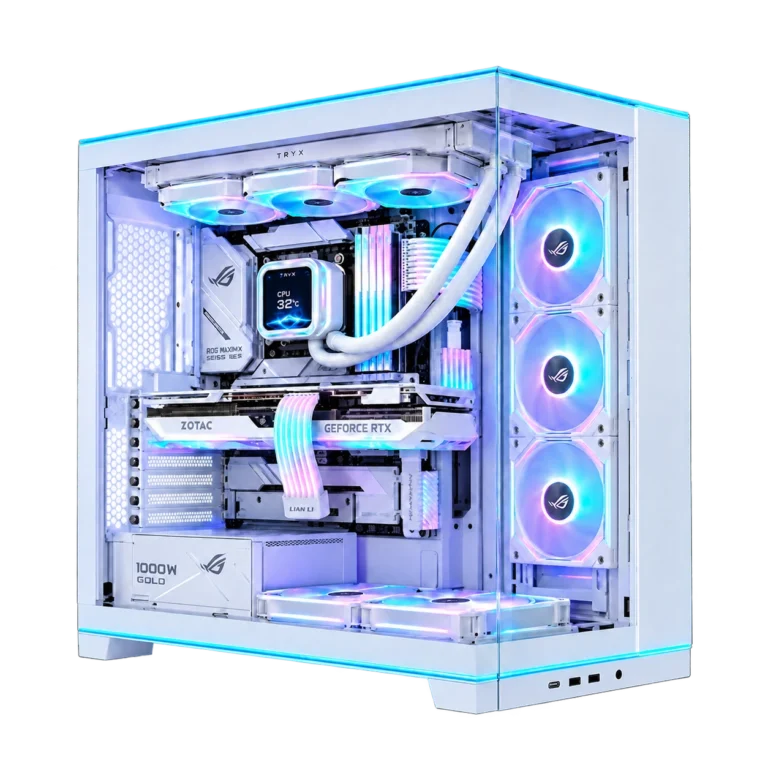
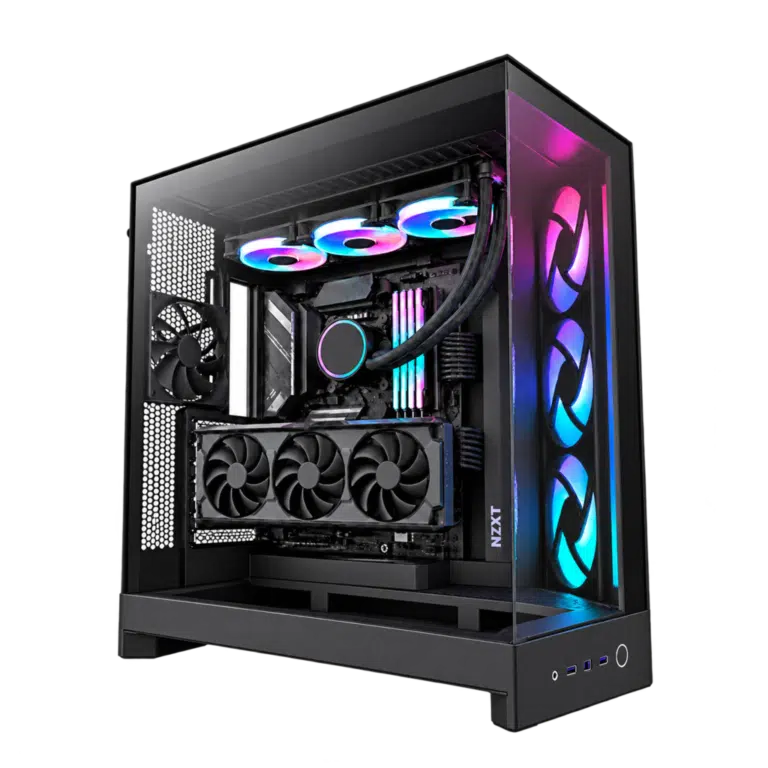
| A strong all-round desktop | Core i7-14700KF / RTX 5070 Ti / 32GB DDR5 | A concrete desktop configuration to compare around the chosen resolution and settings |
| A higher-tier desktop | Ryzen 7 9800X3D / RTX 5080 / 32GB DDR5 | More hardware budget for demanding resolution and broader gaming use |
| Before checkout | Confirm the listed SSD, cooling, PSU and Windows package | The full build matters alongside CPU and GPU names |
These are hardware-based shortlists, not measured MW4 frame-rate claims. We are not assigning invented FPS figures to either build. Actual results depend on resolution, graphics settings, game mode, drivers and updates. A desktop GPU also should not be equated with a laptop GPU carrying a similar name.
For competitive play, prioritise consistent delivery rather than the highest occasional counter value. Leave storage headroom for updates and keep the case ventilation unobstructed. Use the product page’s exact installed configuration when comparing the two systems.
Include the monitor in the plan
For a premium competitive shortlist, compare the ASUS ROG PG27AQWP-G Edition 20. ASUS advertises QHD at 540Hz and an alternative HD mode at 720Hz. The lower-resolution mode is a deliberate trade-off; it is not 720Hz at QHD, and neither ceiling guarantees that the game will deliver that many frames.
If your priorities include a detailed 4K image and other visually rich games, compare the ROG PG27UCDM 4K 240Hz. Choose the resolution first, then confirm GPU output, cable and display mode. Read the ASUS OLED buying guide for the larger-screen and ultrawide alternatives.
After connecting the screen, select its intended refresh rate in the operating system and confirm the game is using the expected resolution. A fast monitor left at an unintended setting cannot provide the configuration you bought it for.
Logitech SUPERSTRIKE X3: tune the click before increasing everything
The PRO X3 SUPERSTRIKE provides adjustable main-button actuation, rapid-trigger reset and haptic feedback through Logitech’s HITS system. Start with a deliberate click setting that avoids accidental presses during lifts and fast movements.
Keep a familiar sensitivity and a stable polling setting for the first sessions. Raise the polling rate only after comparing frame consistency and input behaviour on your actual PC. X3’s maximum DPI is a capability, not a recommended in-game setting. Our X2 versus X3 comparison explains the generation changes.
Wooting 60HE v2: use the compact space well
The Wooting 60HE v2 leaves more room for mouse movement than a full-width keyboard. Position it so the wrist and mouse arm can move naturally, then configure the movement keys for a predictable feel.
Begin with conservative actuation and Rapid Trigger settings. Extremely sensitive settings can register unwanted inputs if your fingers rest on the keys. Change a small group of movement keys first and practise before changing the entire board. Keep a clear typing profile for normal use.
Rapid Trigger and input-priority or automation features are different functions. Check current game and tournament rules before enabling features that alter simultaneous key behaviour. Use our Wooting Rapid Trigger guide for a step-by-step baseline rather than copying a stranger’s settings as a universal best profile.
ARTISAN mousepad: select the surface and the base
A sensible starting comparison is ARTISAN Zero when you want a cloth surface with a controlled direction. Compare the actual size and available base firmness. Hien, Zero and Type-99 are distinct surface families; SOFT, XSOFT and MID describe a different part of the choice.
Choose enough room for your normal sensitivity and low-sensitivity turns. If you press down hard while stopping, base firmness can change how the pad feels. Keep the surface clean and use the same pad while setting up the new mouse so that you can identify which change affects your control.
DT 990 PRO and FiiO K7: the clean playback chain
The DT 990 PRO 250-ohm is an open-back headphone, so this recommendation assumes a reasonably quiet room and accepts sound leakage. If the room is noisy or shared, compare a closed-back alternative before committing to the open design.
For the FiiO K7 desktop route, connect the PC by USB, select K7 as the intended playback output, and connect the headphone through its suitable 6.35mm single-ended connection using the correct supplied adapter where needed. Start with low gain and low volume, then increase only as required.
The classic fixed-cable DT 990 PRO is not a reason to buy an improvised balanced adapter for the 4.4mm output. Use a compatible single-ended path. K7 is also not a microphone interface: team chat needs a separate USB microphone or an appropriate XLR interface / mixer.
Audio settings should make cues clearer, not merely louder
Begin with one straightforward playback path and a familiar game audio preset. Avoid stacking the game’s spatial processing with several additional surround processors before listening to the result. Test one option at a time in repeatable situations.
A headphone cannot guarantee that you will hear every opponent or locate every cue correctly. The game mix, map, room, playback settings and player familiarity all matter. Use an intelligible chat level so callouts do not mask everything else, and check microphone transmission separately from headphone playback.
Finish with a repeatable first-session checklist
- Confirm the game, Windows and hardware meet the current official requirements.
- Install a suitable official graphics driver and complete the game’s required preparation.
- Set the correct monitor resolution and refresh mode.
- Use a stable mouse and keyboard profile before experimenting.
- Check game audio, chat input and chat output independently.
- Use wired Ethernet where practical and check the local network for competing traffic.
- Compare changes one at a time in the same mode and similar conditions.
A responsive desk depends on the full chain. An expensive mouse cannot fix an unstable network, and a high-refresh screen cannot generate frames for the PC. The goal is a coherent setup you can control consistently, with room to tune it after the basics work.
Frequently asked questions
What is AX’s complete MW4 setup shortlist?
Compare a suitable desktop PC and ASUS OLED monitor, SUPERSTRIKE X3, Wooting 60HE v2, ARTISAN pad, DT 990 PRO and FiiO K7. The exact PC and display depend on resolution, budget and room.
Does a 540Hz display mean I will get 540 FPS?
No. The panel’s refresh ceiling and the PC’s delivered frame rate are different. Choose the PC and rendering settings for the frame rate you want to deliver.
Do I need a microphone with DT 990 PRO and K7?
Yes, if you need voice chat. The passive headphone has no microphone and K7 is not a microphone interface. Add a separate USB microphone or a suitable XLR chain.
Can I use the DT 990 PRO cable with K7 balanced output?
Use the compatible single-ended headphone output. Do not force the classic shared-ground headphone cable onto a balanced output with an unsuitable adapter.
Continue planning your setup
- Logitech PRO X2 SUPERSTRIKE vs PRO X3 SUPERSTRIKE: What Changes?
- Wooting Rapid Trigger Settings: Build a Reliable FPS Profile
- FiiO DACs and Amps in Kuwait: K3, K5 Pro ESS, K7, K11 and R2R
For the related buying decision, read our Wooting keyboard buying guide.
Explore Monitors. For help matching exact model numbers, contact AX Store Kuwait.
Shop the equipment in Kuwait
AX price check, 26 October 2026: RTX 5080 Gaming PC – Ryzen 7 9800X3D – Lian Li O11 EVO RGB White — KWD 1291.000 (in stock); RTX 5070 Ti Gaming PC – i7-14700KF – NZXT H9 Flow RGB Black — KWD 988.000 (in stock). The product cards show the current price and availability when you shop.
Explore AXPC at AX Kuwait, ASUS at AX Kuwait, Logitech at AX Kuwait for the rest of the range.
AS


Build a setup that fits how you use it
Tell AX your equipment models and what you want to do. We can help you choose the right connections and products.