COMPARISONS
Same-day delivery · Official warranty · Taly & Deema
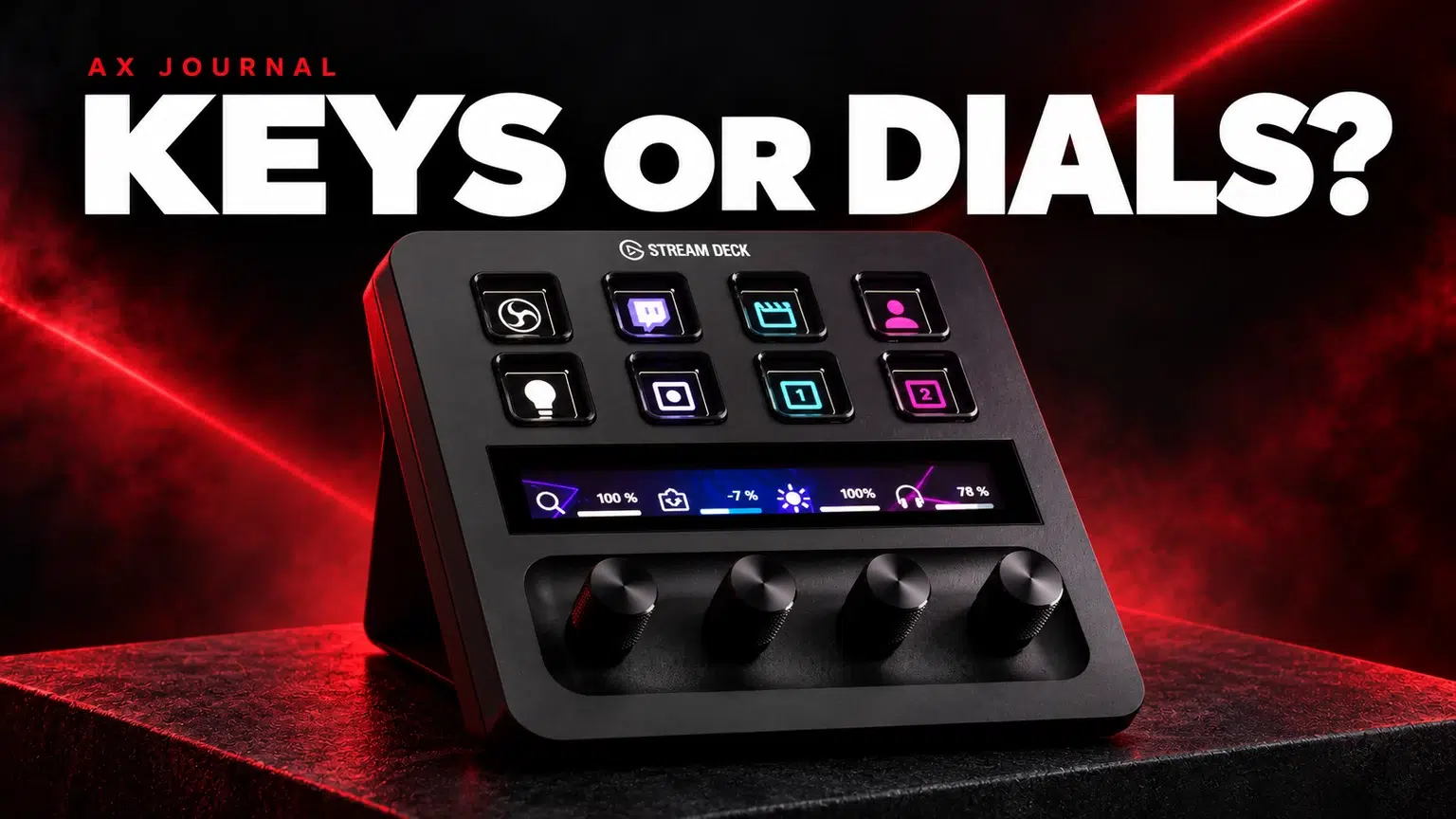
Stream Deck MK.2 vs Stream Deck + is a workflow choice between more dedicated keys and a control layout that includes rotary dials.
Stream Deck MK.2 vs Stream Deck + is a workflow choice between more dedicated keys and a control layout that includes rotary dials.
| Control | Stream Deck MK.2 | Stream Deck + |
|---|---|---|
| LCD keys | 15 | 8 |
| Physical dials | None | 4 |
| Touch strip | None | Yes |
| Typical reason to shortlist | More visible scene and shortcut actions | Volume and other continuous adjustments alongside keys |
The Stream Deck MK.2 and Stream Deck + run within the same Stream Deck software ecosystem. Having fewer physical keys does not mean the Plus can perform only eight actions: folders, pages and profiles expand what is available. The question is how often you want to navigate to them.
If your first page needs several OBS scenes, a mic mute, recording controls, camera visibility and a few shortcuts, fifteen visible keys can be convenient. You can keep more of those actions in a stable location without moving between pages.
Think about what you must find quickly while looking at a camera or game. A smaller set of consistently placed controls can be easier to use than an impressive collection of rarely used actions. Sketch the first page before choosing the hardware.
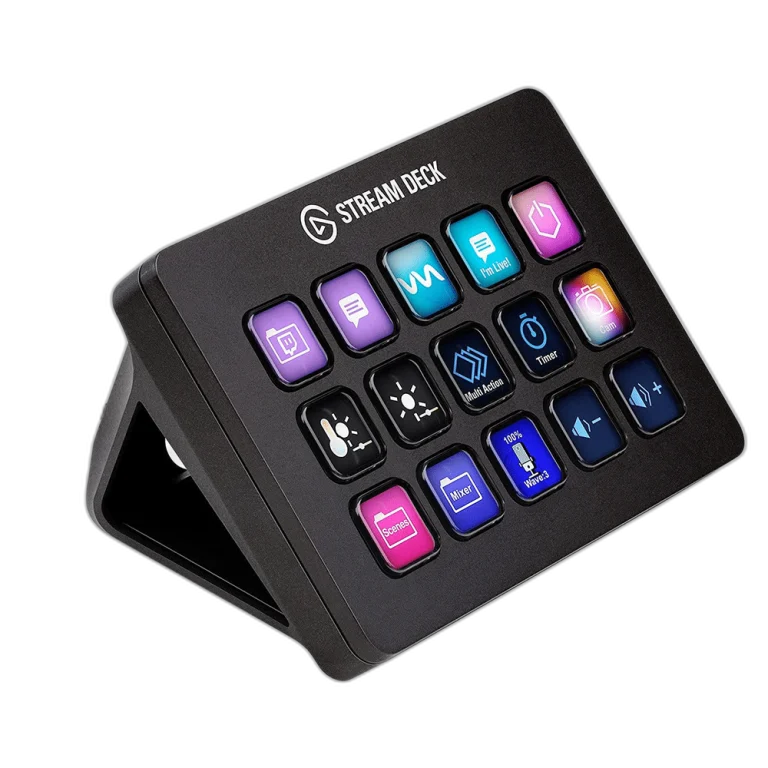
Turning a physical dial is useful for repeated incremental changes such as supported audio levels, lighting or creative-application parameters. The touch strip helps identify and interact with the assigned dial controls.
Do not assume every application exposes every parameter to a dial. Check the actual plugin or supported hotkey workflow for the app you use. The value of four dials depends on having four useful controls, not simply owning four knobs.
Stream Deck + can control compatible software audio workflows, including Wave Link. The standard controller alone is not an XLR microphone preamp merely because it has dials. An XLR recording chain still needs the appropriate audio hardware, or a specifically compatible accessory sold for that purpose.
If you already use an Elgato Wave:3 or another audio device, map the complete audio path before adding a controller. Decide whether you want to adjust what you hear, what the audience hears or both; those can be different controls.
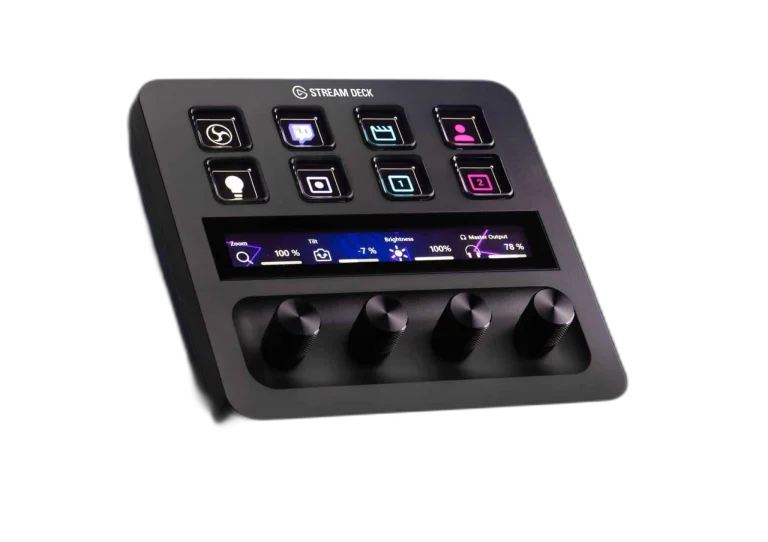
A multi-action can trigger several operations, but it should be tested carefully before controlling a live show. Do not put an accidental start-stream or stop-record action where it is easy to hit while reaching for another key.
For editing, a bank of shortcuts may favour MK.2; repeated incremental adjustments may favour Plus if the software integration supports them. For calls and office use, a simpler layout for mute, camera and app switching may be sufficient.
Check your operating system, application versions and plugin requirements before ordering. Some integrations depend on additional software, accounts or paid third-party plugins. A product compatibility list is more useful than assuming every advertised action works identically in every app.
Write down your ten most-used actions and mark which are on/off commands versus continuous adjustments. If most are discrete commands you want visible, start with MK.2. If several involve repeated level changes and you will use the dials daily, start with Plus.
That is a workflow recommendation rather than a performance ranking. Both can support a polished desk; the right one is the controller you can operate confidently without turning every task into a page-navigation exercise.
For the related buying decision, read our GoXLR vs GoXLR Mini.
The standard controller is not an XLR audio interface. Check any separately offered compatible dock or audio hardware rather than assuming it is included.
Supported plugin actions can control OBS audio and other functions. The Plus adds physical dials; it does not have exclusive access to every audio-related action.
It controls the workflow. Encoding quality, camera output, capture settings and the computer remain separate factors.
Explore Stream Decks & Macro Pads
Check current configurations, included accessories and availability on the linked AX product pages. Ask AX about your exact setup.
AX price check, 26 October 2026: Elgato Stream Deck MK.2, 15-Key Customizable Controller — KWD 59.900 (in stock); Elgato Stream Deck Plus Multi-Touch Controller — KWD 79.900 (in stock). The product cards show the current price and availability when you shop.
Explore Elgato at AX Kuwait for the rest of the range.
Continue with Audeze Maxwell 2 in Kuwait: Platform and Setup Guide to plan the related part of your setup.
Build a setup that fits how you use it
Tell AX your equipment models and what you want to do. We can help you choose the right connections and products.
Added to cart
Subscribed
We'll email you as soon as it's back in stock.
Saved to wishlist


