COMPARISONS
Same-day delivery · Official warranty · Taly & Deema
RØDECaster Duo vs Pro II starts with the number of local microphones and headphone feeds your sessions need, then the recording and routing workflow.
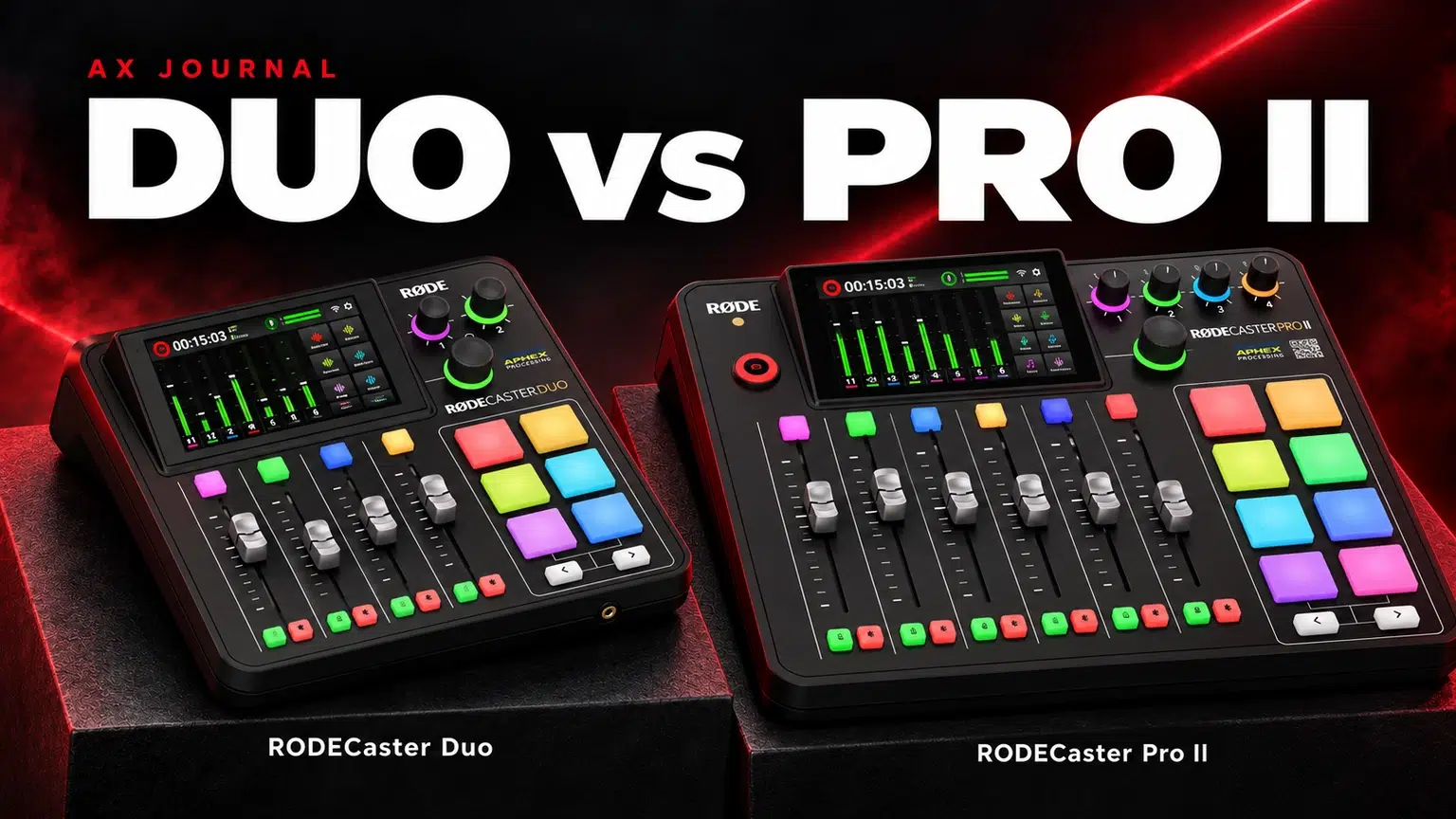
RØDECaster Duo vs Pro II starts with the number of local microphones and headphone feeds your sessions need, then the recording and routing workflow.
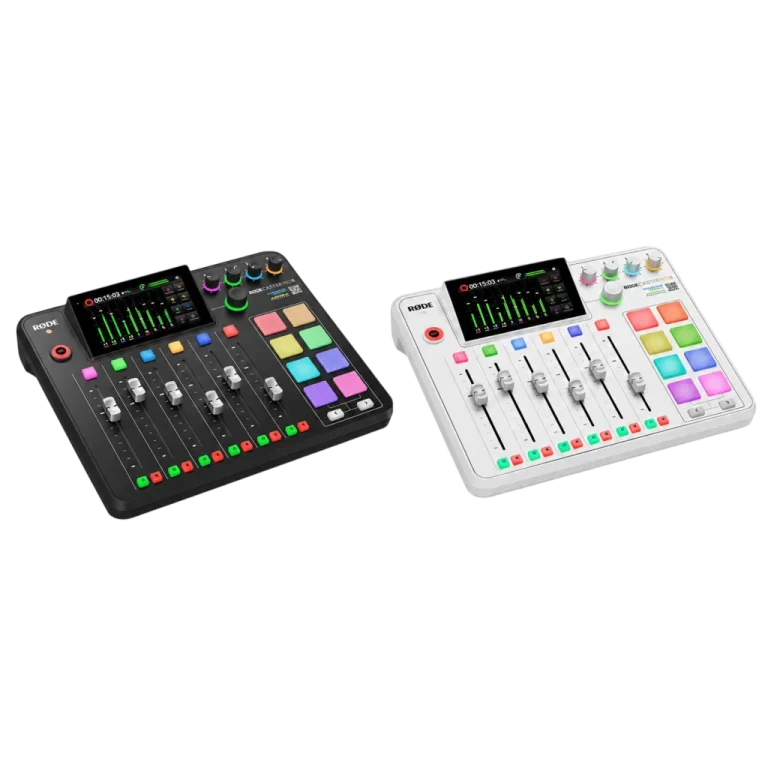
The RØDECaster Duo and RØDECaster Pro II share a production approach: microphone inputs, headphone monitoring, onboard processing, computer audio and recording in one system. The larger model is not compulsory for a professional result, and the smaller model is not automatically enough for every podcast.
Count people who sit in the room separately from guests joining over a call. Local speakers normally need independent microphone inputs and suitable monitoring. Remote guests need a communication route and a return mix. Those are different demands on the console.
| Feature | RØDECaster Duo | RØDECaster Pro II |
|---|---|---|
| Analogue combo inputs | 2 | 4 |
| Physical faders | 4 | 6 |
| Virtual faders | 3 | 3 |
| Headphone outputs | 2 | 4 |
| SMART pads | 6 | 8 |
| USB audio connections | 2 | 2 |
| Recording destinations | Supported microSD, USB storage or computer | Supported microSD, USB storage or computer |
| Preamp gain headline | Up to 76dB | Up to 76dB |
Features can expand through firmware, but software channels do not create extra physical XLR sockets. Check the current documentation for wireless receiver assignments, compatible USB microphones and the exact recording route. Do not add every advertised source type together as if each were always an independent extra channel.
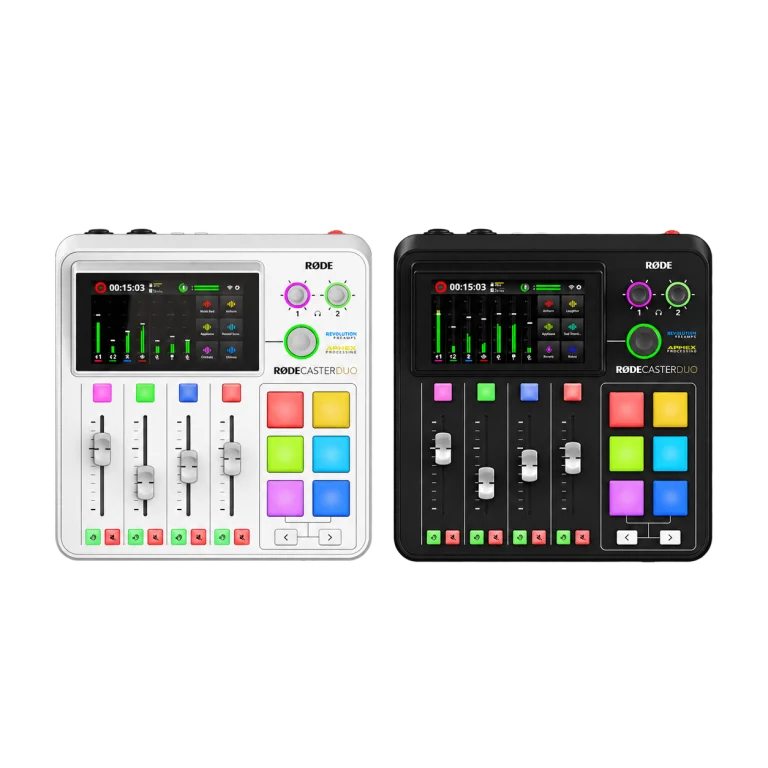
Duo is the natural shortlist when you regularly record one or two local voices and prefer a smaller desk footprint. Two microphones, two headphone feeds and a planned recording destination cover many interview and creator workflows without paying for unused local inputs.
Budget for the complete setup: suitable microphones, two XLR cables, stable stands or arms and headphones. The PodMic is one XLR microphone option; a PSA1+ arm is a mounting option to compare against the actual assembly weight and desk. Confirm the individual packages rather than assuming the console includes all accessories.
Pro II becomes the more direct choice when a host and two or three in-room guests are a normal session. Four analogue microphone inputs and four headphone outputs allow a straightforward plan with one microphone and monitoring feed per person.
Six physical faders can also reduce the need to reach for virtual controls during a busy live production. Decide which channels must stay under your fingers: local voices, music, a call or other sources. More faders are useful when they make a real session easier to operate, rather than simply making the desk look more elaborate.
Both models offer dual USB audio connections. Write down which computer handles the game, call, stream and recording, then assign the required sources to the correct output. Select the matching endpoints in each application; a successful USB connection alone does not prove the intended mix is reaching it.
For a remote guest, configure mix-minus so their return does not include their own delayed voice. Test each direction separately, then test simultaneous speech. Acoustic echo from a nearby loudspeaker is a separate problem, so use headphones during the microphone test.
A stereo recording preserves the finished mix. Multitrack recording can retain separate sources for editing, depending on the selected destination and configuration. Choose the mode before recording, prepare supported storage and confirm there is enough space.
Make a short test and open the saved result. Listen for every local microphone, remote return and intended playback source. Check that muted or excluded channels behave the way you expect. A moving meter proves that audio exists at one point, not that every required track was saved.
Both consoles advertise high-gain Revolution preamps. That makes it sensible to try a correctly positioned SM7B directly before assuming an inline booster is required. Set gain from the actual speaking level and leave room for louder phrases.
The SM7dB has its own active-preamp and bypass settings, so follow its power and gain instructions. An extra booster is a solution to a particular gain requirement, not a mandatory purchase for every Shure microphone. Our SM7B and Cloudlifter guide explains how to diagnose the chain.
Choose Duo if its two-input layout comfortably fits the regular session. Choose Pro II when four local inputs and headphone feeds or its extra physical controls solve a clear need. Use the Duo setup guide for configuration and the complete RØDE system guide for the wider equipment plan.
The useful distinction here is capacity and control. Both have high-gain preamps and onboard processing. Microphone technique, routing and settings remain important on either model.
Virtual channels do not create extra physical XLR sockets. For a straightforward four-microphone local recording, compare Pro II’s four analogue combo inputs.
Both support suitable independent storage-recording workflows. Check the selected destination and recording mode, then open a saved test before the session.
Not automatically. Try the appropriate direct microphone input, close speaking distance and correct gain first. Add a booster only when the actual chain needs that function.
Related buying guide: GoXLR vs GoXLR Mini.
Explore Audio Interfaces & Mixers or ask AX about your setup.
AX price check, 26 October 2026: RODE RODECaster Duo Integrated Audio Production Studio — KWD 169.900 (in stock); RØDE RØDECaster Pro II Audio Production Studio — KWD 199.900 (out of stock). The product cards show the current price and availability when you shop.
Explore RODE at AX Kuwait, SHURE at AX Kuwait for the rest of the range.
Plan your audio setup with AX
Tell us your microphone models, computers and recording plans so we can help match the connections.
Added to cart
Subscribed
We'll email you as soon as it's back in stock.
Saved to wishlist